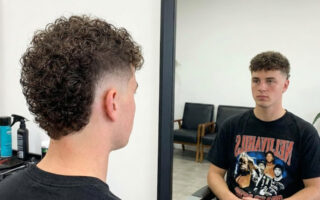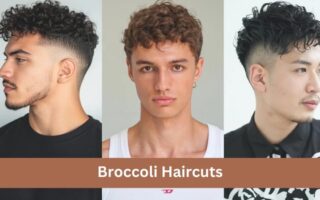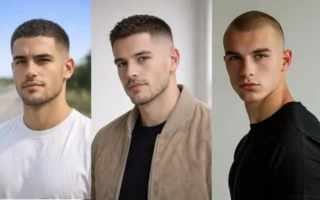
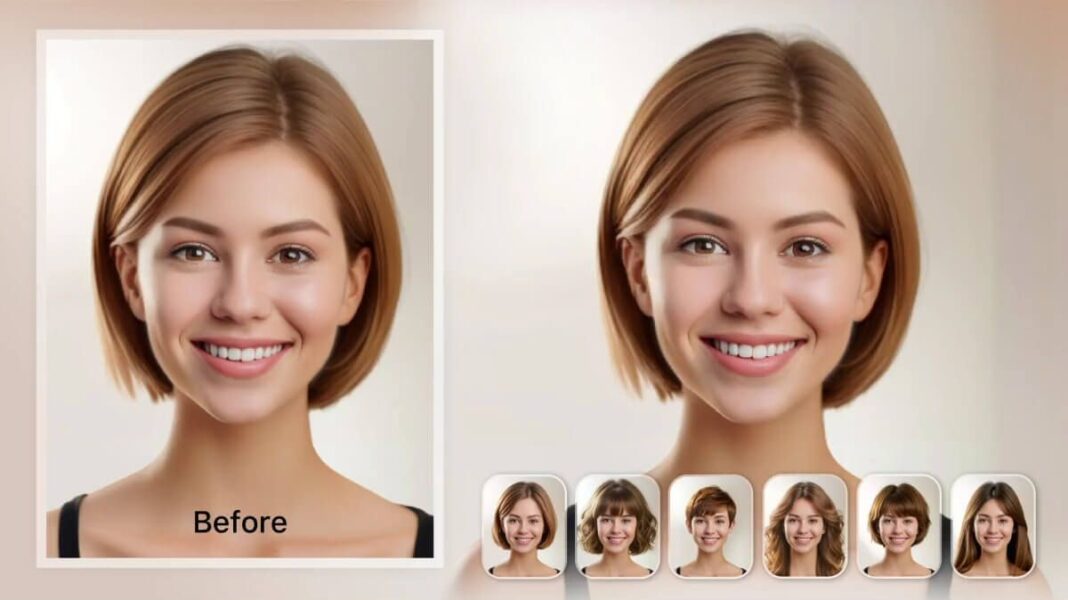
A new haircut can change how you feel, how your clothes look, and how much time you spend getting ready. It can also create frustration when the style in a reference photo does not match your face shape, hair texture, or daily routine. Modern hairstyle tools now let you compare more than 100 styles and more than 20 color choices on your own photo, with some previews generated in under 30 seconds according to AIHairStyleChanger.AI.
The technology still has limits. Research on identity-preserving hairstyle transfer explains that an AI system must change the hair while preserving the face, clothing, background, and other personal details. Head angle, face shape, and image quality can affect the result. That is why the best use of an AI hairstyle preview is not to predict the exact salon result. It is to help you compare ideas and explain your preferred look clearly.
Why a Good Hairstyle Decision Starts Before the Salon
Many haircut problems begin with an attractive reference image. You may save a photo because you like the length, the fringe, or the color. The image may show a person with a different hair density, face shape, styling routine, and natural texture. After the cut, the same style can sit differently because your hair may grow in another direction or need more daily work.
For example, a blunt bob may look polished on straight, dense hair but may need regular heat styling on fine wavy hair. A layered cut may create movement on thick hair but remove too much volume from thin hair. A full fringe may suit the reference model while feeling difficult to manage if your hairline has a strong growth pattern.
This is a decision problem, not just an inspiration problem. Wikipedia describes consumer behaviour as including “all activities associated with the purchase, use and disposal of goods and services, including the consumer’s emotional, mental and behavioural responses.” A haircut also involves those responses. You are evaluating how the look makes you feel, how much work it requires, and whether it fits your normal life.
Before viewing any preview, define three points:
- The change you want, such as shorter length, more volume, softer framing, or a new color.
- The limits you want to keep, such as maintaining a ponytail or avoiding daily heat styling.
- The amount of maintenance you can accept each week.
This works because a clear goal gives you a useful standard for comparison. A style that looks impressive but breaks your maintenance limit is not the right choice.
Use an AI Preview to Compare Realistic Options
A reference photo shows someone else’s result. It does not show how the same style may look on your face. This makes it easy to confuse admiration with suitability. You may like a sharp pixie cut in a magazine image, but you may still feel unsure about the shorter sides, the exposed neckline, or the amount of styling required.
AIHairStyleChanger.AI offers a browser-based way to place different hairstyle directions on your own portrait. The AI hairstyle changer includes more than 100 hairstyle options, color choices, before-and-after comparisons, and an option to upload a separate hairstyle reference image. The tool presents the result as a visual simulation, which makes it useful for comparison rather than as a promise of an identical salon outcome.
A practical comparison starts with one clear photo and several controlled changes. For example, you could compare:
- A shoulder-length bob with your current color.
- The same bob with a warmer color.
- A longer layered style with the same color.
- A short textured cut with a softer outline.
Keep the photo the same for each preview. This helps you compare the hairstyle instead of comparing different expressions, camera angles, or lighting conditions.
The reason this method works is simple. A consistent photo reduces unrelated differences. You can focus on the shape around your jaw, the amount of forehead coverage, and the visual balance between the hair and your face.
Start With the Right Photo
A poor photo can make a good hairstyle look wrong. A side angle may hide one side of the face. Strong overhead lighting can create hard shadows. A filter can change the skin tone and blur the hairline. Hair covering the eyes or cheeks can also make it harder to judge the shape of a new cut.
The result may then create a false problem. You may decide that a fringe looks unsuitable when the real issue is that the photo does not show your forehead clearly. You may reject a short cut because the image angle makes your face look wider than it does in person.
A better starting photo has these qualities:
- Your face points close to the camera.
- The image has even light from the front.
- Your hairline and face outline remain visible.
- You use a neutral expression.
- The photo has no heavy filter or strong color effect.
- The image is sharp enough to show the current hair shape.
A front-facing portrait gives the system a clearer view of your face and hair. It also makes side-by-side comparisons easier for you and your stylist. The goal is not to create a perfect social media image. The goal is to create a useful planning image.
Compare Hair Shape Before Hair Color
Color often attracts attention faster than shape. A bright copper shade or cool blonde tone can make almost any preview appear exciting. This can distract you from the more important questions about length, volume, bangs, and layers.
Imagine that you are choosing between a chin-length bob and long layers. If one preview uses a dramatic red color and the other uses your natural shade, you may judge the color instead of the cut. The comparison becomes more useful when the first set keeps the color similar.
Use this order:
First, compare length
Look at where the hair ends in relation to your chin, shoulders, and collarbone. A cut that ends near the jaw can create a clear outline. A shoulder-length cut can offer more styling options. A longer cut may feel safer but may not create the change you want.
Next, compare shape
Check whether the style is blunt, layered, rounded, tapered, textured, or heavily graduated. The shape affects how much volume appears around your face. A rounded shape can soften a sharp outline, while a straighter shape can create a more structured look.
Then, compare the front section
Review bangs, curtain fringe, face-framing pieces, and the amount of forehead coverage. These details can change the balance of the entire style.
Finally, compare color
Once you know which shape you prefer, test warmer, cooler, lighter, darker, or bolder shades. The target website explains that screen settings, lighting, and your starting color can affect how a virtual shade appears. A stylist still needs to assess your current hair before recommending a dye formula.
This order works because shape usually creates the largest change in maintenance and daily styling. Color matters, but the cut determines how the hair sits each morning.
Turn the Best Preview Into a Useful Stylist Brief
A client may show a photo and say, “I want this.” The stylist still needs to know which part of the image matters most. Is it the length, the movement, the fringe, the color, or the amount of volume? Without that explanation, the same image can lead to different interpretations.
A good preview gives you a starting point for a clearer conversation. Select two or three options instead of bringing ten similar images. Then describe each preferred feature in simple terms.
For example, instead of saying, “I want this exact haircut,” you could say:
“I like the length just above the shoulders, the soft layers around the face, and the loose movement at the ends. I want to keep enough length for a low ponytail, and I prefer a style that does not need daily straightening.”
This description gives the stylist useful information. It separates the visual features you want from the details that may depend on your own hair.
You can also ask practical questions:
- Would my current hair density support this shape?
- How would this cut behave as it grows?
- How often would I need a trim?
- What would the style look like without heat?
- Can the color be achieved safely from my current shade?
- Which part of the preview should be adjusted for my natural texture?
This approach works because stylists work with real hair, not pixels. A preview helps you explain your preference, while the stylist helps convert that preference into a workable cut.
Check Whether the Style Matches Your Real Hair
A hairstyle may look suitable in a preview and still demand more work than you expect. AI can show a smooth shape, but it cannot fully demonstrate how your curls expand in humidity, how fine hair loses volume, or how thick hair behaves after washing.
Consider a person with fine, straight hair who chooses a large layered style. The preview may show full movement because the image creates the appearance of volume. In real life, that person may need a round brush, volumizing products, and regular styling. Another person with thick, wavy hair may choose a sleek bob but discover that the shape needs frequent smoothing.
Review the style against four real conditions:
Texture
Straight, wavy, curly, and coily hair can produce different results from the same cut. Ask whether the design supports your natural pattern or assumes that you will change it each morning.
Density
High density can make short layers feel heavy. Low density can make too many layers reduce fullness. The amount of hair matters as much as the visible length.
Growth pattern
Cowlicks, strong partings, and uneven growth can affect bangs, short sides, and face-framing sections. A preview does not show how your hair will behave after sleep or washing.
Maintenance time
A style that takes five minutes may suit your routine. A style that takes thirty minutes may become frustrating after the first week. Your best choice should fit your actual schedule rather than your ideal schedule.
This check works because a sustainable hairstyle depends on repeated daily behaviour. A look that matches your routine is more likely to remain attractive after the first salon visit.
Use Reference Mode Carefully
A reference hairstyle image can communicate details that a style label cannot. Words such as “layered,” “textured,” or “soft bob” can mean different things to different people. A reference image shows the length, outline, and movement you have in mind.
The target website supports a reference mode that uses your portrait for the face and a separate image for the hairstyle. Its instructions explain that the reference guides the cut, length, and texture, while the chosen color or gradient can take priority. The result remains an interpretation, not an exact copy.
Choose a reference image that shows the hair clearly. Avoid a photo where the hair is hidden by a hat, heavy shadow, or another person. A front or three-quarter view usually gives you more useful information than a heavily edited image.
It also helps to separate the elements you want to borrow. You may like the length from one image, the fringe from another, and the color from a third. A stylist can help combine those features, but the final result must respect your own hair structure.
This method works because it turns vague inspiration into separate design choices. You can discuss each choice instead of asking for a complete copy of a look that may depend on different hair conditions.
Understand What AI Hairstyle Previews Cannot Show
The most common mistake is treating a generated image as a guarantee. A preview may show smooth edges, even color, and perfect volume. Real hair changes with washing, humidity, movement, product use, and the condition of the existing hair.
Academic research on hairstyle transfer identifies identity preservation and the handling of different head poses, face shapes, and image perspectives as major technical challenges. This means the preview can be useful while still containing details that do not match your real appearance.
Use the image to answer visual questions:
- Do I like the general length?
- Does the outline feel balanced on my face?
- Do I prefer more or less forehead coverage?
- Which color direction attracts me?
- Which two options should I discuss with a stylist?
Do not use it to confirm:
- The exact result of a chemical treatment.
- The exact behaviour of your natural curls.
- The final condition of damaged or previously colored hair.
- The amount of styling product you will need.
- Whether a style will feel comfortable in every season.
This distinction protects you from overconfidence. The preview supports a decision, but it does not replace a professional assessment of your hair.
A Simple Five-Minute Decision Process
A clear process prevents endless scrolling and reduces the chance of choosing a style because it looks dramatic for a few seconds. Start with one natural portrait and choose three different directions. Keep the first comparison focused on shape.
Review each result for length, outline, front sections, and maintenance needs. Remove any option that breaks an important limit, such as keeping your hair tied back or avoiding daily heat.
Choose the two strongest options and write one sentence about each. For example:
- “I prefer the collarbone length and soft layers, but I want less volume at the sides.”
- “I like the short shape and textured top, but I need a version that works without daily blow-drying.”
Take those notes and the selected images to your stylist. Ask which features suit your hair and which details need adjustment. After the consultation, choose the version that balances appearance, maintenance, hair condition, and personal comfort.
The strongest AI hairstyle preview is not the most dramatic image. It is the one that helps you make a clear decision and have a more useful conversation with a professional. When you keep quality, relevance, transparency, and human judgment at the centre, technology becomes a planning aid rather than a source of unrealistic expectations.